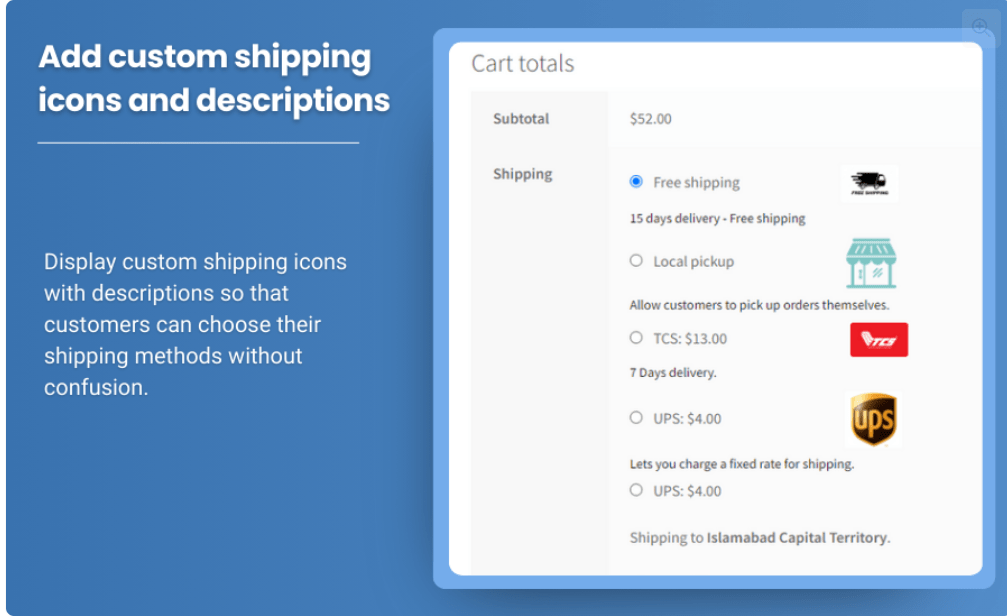
A smooth and efficient checkout experience is essential for any eCommerce store. One of the challenges store owners often face is dealing with irrelevant or unwanted shipping methods appearing during checkout. Offering unnecessary shipping options can confuse customers, slow down the purchasing process, and even cause abandoned carts.
The WooCommerce Hide Shipping Method Plugin is a powerful tool designed to streamline the checkout process by hiding shipping methods based on specific conditions. By enabling you to display only the relevant shipping options, this plugin improves the user experience, enhances conversion rates, and ensures your customers can easily select their preferred shipping method.
Let’s dive deeper into how the Hide Shipping Method Plugin can help you enhance your WooCommerce store’s checkout process and make shipping selection more efficient for both you and your customers.
Why Use the Hide Shipping Method WooCommerce?
When running an online store, one of the most critical aspects of customer experience is a smooth checkout process. If customers encounter unnecessary or confusing shipping options, it can lead to frustration and cart abandonment.
The WooCommerce Hide Shipping Method Plugin solves this issue by allowing store owners to hide shipping methods based on specific conditions such as shipping classes, order weight, product categories, customer location, or even the order subtotal. By customizing which shipping methods are visible at checkout, this plugin ensures that customers see only the most relevant options, reducing complexity and improving conversion rates.
Here are some compelling reasons why you should consider using the Hide Shipping Method Plugin for your WooCommerce store:
- Improve Customer Experience: By hiding irrelevant or unavailable shipping methods, you eliminate confusion and help customers make quicker, more informed decisions.
- Reduce Cart Abandonment: Offering too many shipping options or irrelevant methods can frustrate customers and lead them to abandon their carts. Streamlining shipping options can improve customer satisfaction and reduce abandonment rates.
- Targeted Shipping Methods: The plugin lets you configure shipping methods based on customer-specific criteria, such as their shipping location, product selection, or user role. This targeted approach ensures that customers only see the shipping methods that apply to their particular order.
- Save Time for Customers: When irrelevant shipping options are hidden, customers don’t have to sift through a long list of choices. This makes the entire checkout process faster and more efficient.
- Customization and Flexibility: Whether you want to hide a particular shipping method during a sale, based on the shipping destination, or because certain products don’t qualify for specific delivery options, the plugin provides the flexibility to create the rules that best suit your store’s needs.
Key Features of the WooCommerce Hide Shipping Method Plugin
The WooCommerce Hide Shipping Method Plugin comes with several advanced features that allow store owners to control which shipping options are shown to customers at checkout. Let’s explore some of the top features that make this plugin so powerful:
1. Conditionally Hide Shipping Methods
One of the most notable features of the plugin is its ability to hide shipping methods based on specific conditions. You can hide shipping options based on:
- Shipping Classes: If certain products in a cart belong to a particular shipping class, you can hide or display certain shipping methods. For example, fragile items may require a different shipping method than standard products.
- Cart Weight: If a customer’s cart exceeds a certain weight, you can hide certain shipping methods that are not suitable for heavier items, such as regular postal delivery.
- Product Categories: If you want to hide certain shipping options for specific product categories (like digital downloads or large appliances), you can easily configure the plugin to do so.
- User Roles: Offer personalized shipping options by hiding or showing specific shipping methods based on customer roles, such as logged-in users, VIP members, or guests.
- Cart Subtotal: You can display or hide shipping methods depending on the total value of the cart. For instance, free shipping might only be available for orders over a certain amount, and other shipping methods might be hidden accordingly.
- Geolocation: Hide or display shipping methods based on the customer’s location, such as specific regions, postal codes, or countries.
2. Support for Multiple Shipping Methods
The plugin works with all types of shipping methods supported by WooCommerce, including flat rate, free shipping, local delivery, and external carriers like UPS, FedEx, and DHL. You can set up rules to display or hide these options as needed, ensuring that your customers only see the most relevant and available shipping methods based on their order criteria.
3. Customizable Messages
When you hide certain shipping methods, it’s important to communicate why they are unavailable to customers. The WooCommerce Hide Shipping Method Plugin allows you to display custom messages, explaining why specific methods are hidden. This feature can help customers understand that a particular shipping option is unavailable due to their order’s weight, location, or other criteria.
4. Integration with WooCommerce Shipping Zones
The plugin integrates seamlessly with WooCommerce’s built-in shipping zones, allowing you to display or hide specific shipping methods based on the customer’s location. You can define shipping methods to be shown or hidden in different regions, offering location-specific delivery options.
5. Mobile-Friendly Design
The Hide Shipping Method Plugin is fully responsive and works well on both desktop and mobile devices. With mobile commerce on the rise, providing a smooth and efficient checkout experience for mobile users is essential. The plugin ensures that shipping methods are displayed or hidden effectively across all devices.
6. Easy Setup and User-Friendly Interface
The plugin offers a simple setup process with an intuitive user interface. You don’t need to be a developer to configure it. Once installed, you can easily create rules for hiding shipping methods through the plugin’s settings page, which is neatly integrated into your WooCommerce admin panel.
7. Flexible Rule Customization
The plugin provides a flexible rule engine that lets you define custom conditions based on a wide range of criteria. You can set multiple rules to handle different scenarios and refine your shipping strategy without needing to code or customize the plugin further.
How to Set Up the WooCommerce Hide Shipping Method Plugin
Getting started with the Hide Shipping Method Plugin is simple. Here’s how you can set it up:
- Install and Activate the Plugin: Download and install the plugin from the WordPress plugin repository or your trusted provider. After installation, activate the plugin through the WordPress dashboard.
- Access Plugin Settings: Once activated, navigate to the WooCommerce settings page, where you will find a new option for managing shipping rules.
- Create Shipping Rules: Define the conditions under which you want to hide specific shipping methods. Choose from options such as product categories, cart weight, user role, and more.
- Customize Messages: You can add custom messages to explain why certain shipping methods are not available. This helps customers understand why they don’t have the shipping options they might expect.
- Test the Plugin: Before going live, test the shipping rules to ensure everything is working as expected. Add different products to the cart, adjust the cart weight or subtotal, and check that the correct shipping methods are displayed or hidden based on your conditions.
- Monitor and Adjust: Once the plugin is live, monitor how it performs and adjust your settings if needed. The plugin allows you to tweak the shipping options as your store evolves.
Benefits of Using the WooCommerce Hide Shipping Method Plugin
- Improved Checkout Flow: By hiding irrelevant shipping options, you simplify the checkout process, helping customers make faster decisions.
- Reduced Cart Abandonment: With fewer distractions at checkout, customers are more likely to complete their purchases.
- More Efficient Shipping Management: The plugin helps you efficiently manage your shipping methods, ensuring that only the relevant options are shown based on customer requirements.
- Better Customer Satisfaction: Customers appreciate a straightforward shopping experience with clear shipping options tailored to their needs.
- Customizable Rules: The plugin offers highly flexible conditions for customizing which shipping methods appear, helping you tailor the checkout experience to match your business model.
Conclusion
The WooCommerce Hide Shipping Method Plugin is an essential tool for store owners who want to improve the shipping experience during checkout. By hiding irrelevant or unavailable shipping methods based on customizable rules, this plugin helps you streamline your checkout process, improve customer satisfaction, and reduce cart abandonment.
With its easy setup, flexible rule configurations, and seamless integration with WooCommerce, this plugin ensures that customers only see the shipping methods that are relevant to them. Start using the WooCommerce Hide Shipping Method Plugin today to make your store’s checkout process more efficient, reduce confusion, and improve overall conversions!