
Digital video recorders (DVRs) have revolutionized how we watch TV. By allowing users to record, pause, and rewind live TV, DVRs deliver unmatched convenience. Whether you’re catching up on your favorite shows or ensuring you don’t miss live events, a DVR is an essential tool for modern viewing. This technology eliminates the constraints of fixed broadcasting schedules, empowering viewers with flexibility.
DVRs also enhance viewing experiences with features like high-definition recording and content storage. By connecting a DVR to your TV, you gain access to an organized library of recorded programs. This article explores the many facets of using a digital video recorder for TV and how it enhances your entertainment.
How DVRs Work with Modern TVs
A DVR connects seamlessly with TVs through HDMI or composite cables, enabling high-quality signal transmission. Modern DVRs are compatible with smart TVs, allowing for integrated functionality like app access.
The device functions by capturing live TV broadcasts and storing them on a hard drive or cloud-based system. Advanced models support simultaneous recording, ensuring you never miss multiple favorite shows airing at the same time. With intuitive user interfaces, setting up and managing recordings is straightforward.
Benefits of Using a DVR
The key advantage of a DVR is control. It allows viewers to pause live TV, skip commercials, and replay favorite scenes. Additionally, many DVRs come with extensive storage, letting you record hours of high-definition content.
DVRs also provide parental controls, helping manage viewing habits for younger family members. With features like automatic recording for series and genres, DVRs are indispensable tools for avid TV watchers.
DVRs and Cord-Cutting Trends
As cord-cutting gains traction, DVRs have adapted to work with streaming platforms and over-the-air (OTA) broadcasts. Many devices are compatible with digital antennas, offering free access to local channels. This capability ensures you can enjoy live TV without a traditional cable subscription.
Comparing DVRs for TV
When choosing a DVR, key factors include storage capacity, compatibility, and features like remote access. Some DVRs are better suited for OTA broadcasts, while others integrate well with streaming services.
High-end models often include 4K recording, voice controls, and cloud storage. Compare options based on your viewing habits to find a DVR that meets your needs.
Recording Live Sports with a DVR
Sports fans benefit greatly from DVRs, as they allow real-time pausing and rewinding of games. Many DVRs also offer slow-motion replay features, perfect for revisiting critical moments.
Recording sports broadcasts is especially useful for fans in different time zones. With a DVR, you can catch games at your convenience without missing any action.
DVRs for Families
Families often have diverse viewing preferences. DVRs accommodate this by enabling simultaneous recordings and individual profiles. This ensures that everyone can enjoy their favorite shows without conflicts.
Parental control settings help restrict content based on age ratings, making DVRs family-friendly tools. Modern DVRs also allow remote access, letting parents manage recordings from their devices.
DVR Features That Enhance User Experience
Modern DVRs are packed with features like voice commands, 4K playback, and intuitive guides. Some even offer predictive recording, where the device suggests shows based on your preferences.
Cloud storage is another innovative feature, enabling access to recorded content on various devices. This flexibility enhances the overall viewing experience.
Setting Up a DVR with Your TV
Setting up a DVR involves connecting it to your TV using an HDMI cable and configuring it with your TV’s input settings. Many devices come with step-by-step guides to simplify the process.
After setup, you can schedule recordings and explore available features. For OTA broadcasts, pairing a DVR with a digital antenna ensures access to free local channels.
Common DVR Troubleshooting Tips
Like any electronic device, DVRs may face occasional issues. Common problems include storage errors, connectivity issues, and software glitches. Regular firmware updates can resolve most concerns.
If you experience recording failures, check the device’s storage space or signal strength. For connectivity issues, ensure all cables are securely connected.
Choosing the Right Digital Video Recorder
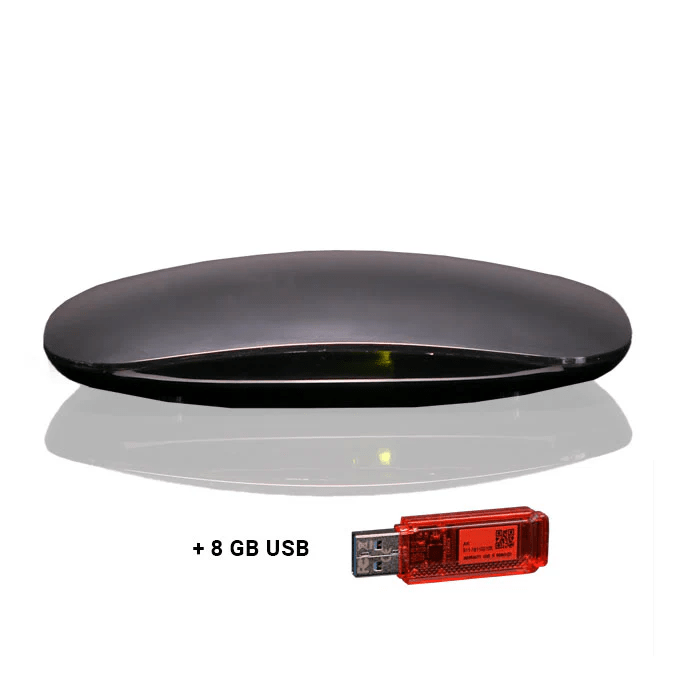
Finding the perfect DVR depends on your needs. Assess whether you require extensive storage, remote access, or compatibility with streaming services. Reading reviews and researching models can guide your decision.
Some DVRs are designed specifically for OTA broadcasts, while others work better with cable or satellite TV. Consider future-proof options with features like 4K recording.
FAQs
What is the best DVR for streaming services?
The best DVR for streaming services is one that offers seamless integration, such as TiVo or Fire TV Recast. These devices combine live TV and streaming apps, providing a unified experience.
How much storage do I need in a DVR?
Storage requirements depend on your viewing habits. For occasional recordings, 500GB is sufficient. Heavy users may need 1TB or more, especially for high-definition content.
Can a DVR work without a cable subscription?
Yes, many DVRs are compatible with digital antennas, enabling access to free OTA channels. These options are excellent for cord-cutters seeking live TV without cable.
Conclusion
A digital video recorder for TV transforms how we consume entertainment. By offering flexibility, control, and advanced features, DVRs cater to diverse viewing preferences. Whether you’re a sports enthusiast, a family-focused user, or a cord-cutter, a DVR enhances your TV experience. Explore the options available and elevate your entertainment setup today.