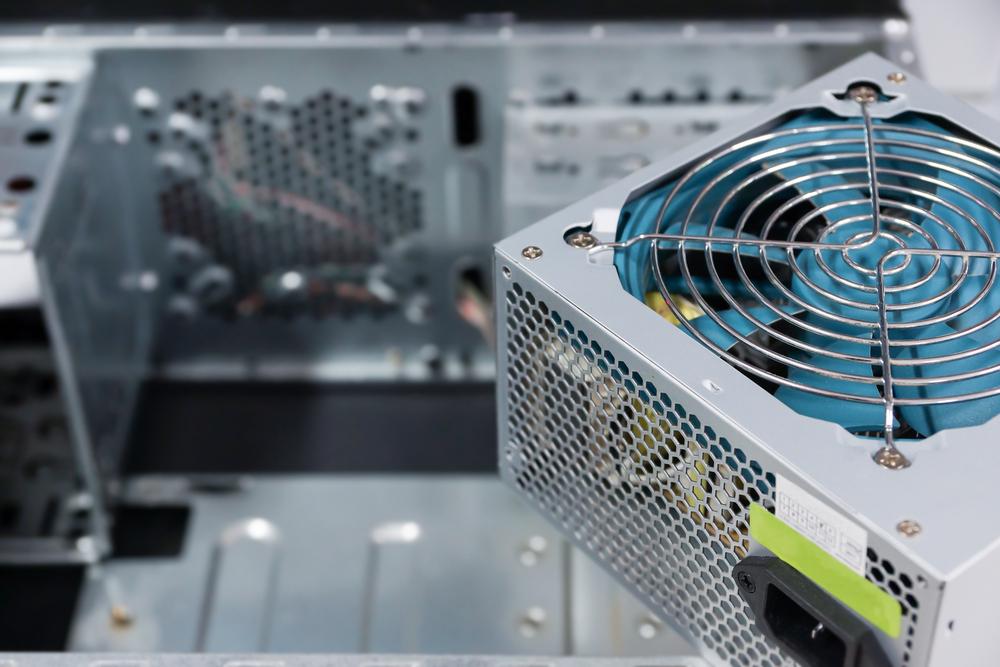
Introduction to Power Supplies
In the world of IT hardware and computer hardware, power supplies play a critical role in ensuring stable and efficient operation. Whether you’re building a personal computer, upgrading enterprise systems, or managing data centers, understanding power supplies is essential for reliable performance. These devices convert electrical energy into usable formats, powering components like processors, graphics cards, and storage devices.
This article delves into the importance of power supplies, their types, key features, and how they contribute to the seamless operation of computer hardware.
What is a Power Supply?
A power supply, commonly known as a Power Supply Unit (PSU), is a device that delivers electricity to a computer or electronic system. It converts electricity from a source (e.g., an electrical outlet) into usable energy that matches the voltage and current requirements of IT hardware. Without a reliable PSU, even the most advanced computer systems would fail to operate efficiently.
Importance of Power Supplies in IT Hardware
1. Ensuring Stability
Power supplies provide consistent energy flow to various components. A stable power source is critical to preventing hardware failures, system crashes, or data corruption.
2. Optimizing Performance
High-quality power supplies enhance the performance of computer hardware by delivering adequate and uninterrupted power to processors, GPUs, and other peripherals.
3. Protecting Hardware
Modern power supplies come equipped with safety features like overvoltage and shortcircuit protection, shielding components from damage caused by electrical anomalies.
4. Energy Efficiency
Efficient power supplies reduce energy consumption, lower operating costs, and minimise environmental impact, aligning with sustainability goals.
Types of Power Supplies
1. ATX Power Supplies
Designed for standard desktop computers, ATX power supplies are the most common type. They provide power to motherboards, CPUs, and peripherals, supporting a wide range of IT hardware configurations.
2. Modular Power Supplies
Modular PSUs offer customizable cable management, allowing users to connect only the cables they need. This improves airflow and reduces clutter within the system.
3. Non-Modular Power Supplies
These units come with fixed cables, which can make installation less flexible but are generally more affordable.
4. Server Power Supplies
Specifically built for enterprise environments, server power supplies handle higher loads and offer redundancy features to ensure uninterrupted operations.
5. Uninterruptible Power Supplies (UPS)
UPS systems combine a power supply with a battery backup, providing temporary power during outages. They are crucial for protecting data centers and critical infrastructure.
Components of a Power Supply
Understanding the internal components of a PSU helps in selecting the right one for your needs:
- Transformers: Adjust voltage levels.
- Rectifiers: Convert alternating current (AC) to direct current (DC).
- Capacitors: Stabilize the output voltage.
- Cooling Fans: Prevent overheating by dissipating heat.
- Connectors: Interface with different computer hardware components.
Factors to Consider When Choosing a Power Supply
1. Wattage
Choose a PSU that provides enough power to support all connected components. High-performance systems with powerful GPUs or CPUs require PSUs with higher wattage ratings.
2. Efficiency Rating
Look for units with an 80 PLUS certification, which guarantees energy efficiency and lower heat generation. Common ratings include Bronze, Silver, Gold, Platinum, and Titanium.
3. Form Factor
Ensure the PSU fits your system’s physical and technical requirements. Common form factors include ATX, SFX, and TFX.
4. Connectors
Verify that the PSU has the appropriate connectors for your hardware, including PCIe connectors for GPUs and SATA connectors for storage devices.
5. Reliability and Brand Reputation
Invest in trusted brands like Corsair, EVGA, or Seasonic, known for producing reliable and durable power supplies.
Applications of Power Supplies
1. Desktop Computers
From gaming PCs to workstations, power supplies ensure that desktop systems run smoothly, supporting essential components like processors, graphics cards, and memory modules.
2. Data Centers
In enterprise environments, power supplies are vital for keeping servers and networking equipment operational. Redundant configurations minimise the risk of downtime.
3. Embedded Systems
Power supplies are critical in embedded systems, such as industrial machinery or IoT devices, where stable power is essential for uninterrupted operation.
4. Consumer Electronics
Beyond computers, power supplies power devices like gaming consoles, smart TVs, and home automation systems.
Common Issues with Power Supplies and How to Address Them
1. Overheating
Blocked airflow or excessive load can cause overheating. Regular maintenance and choosing a PSU with adequate cooling features can mitigate this risk.
2. Voltage Spikes
Sudden electrical surges can damage a PSU. Surge protectors and units with overvoltage protection safeguard your system.
3. Inadequate Power
Using an underpowered PSU may lead to system instability. Always calculate your system’s power requirements before purchasing a PSU.
4. Noise
Cheaper power supplies often have noisy fans. Opt for units with quieter fan designs or advanced cooling mechanisms.
Benefits of Investing in a Quality Power Supply
1. Enhanced Longevity
High-quality power supplies contribute to the durability of your system by ensuring stable energy delivery and minimising wear on other components.
2. Improved System Performance
A robust PSU supports optimal performance, especially in high-demand applications like gaming, video editing, and 3D rendering.
3. Energy Savings
Efficient power supplies consume less electricity, reducing your energy bills and environmental footprint.
4. Peace of Mind
With built-in protections, premium power supplies reduce the risk of hardware damage, offering reliability and peace of mind.
Future Trends in Power Supplies
1. Increased Energy Efficiency
Manufacturers are focusing on developing ultra-efficient power supplies, pushing beyond the current 80 PLUS Titanium standard.
2. Smart PSUs
Power supplies with built-in monitoring tools allow users to track performance, energy consumption, and thermal metrics in real time.
3. Smaller Form Factors
As compact computing systems gain popularity, power supplies are being designed to fit smaller spaces without sacrificing performance.
4. Renewable Energy Integration
Future power supplies may incorporate technologies that support renewable energy sources, aligning with global sustainability goals.
Maintaining Your Power Supply
Proper care extends the lifespan of your PSU and ensures reliable performance:
- Regular Cleaning: Dust buildup can block airflow. Use compressed air to clean vents and fans periodically.
- Monitor Loads: Avoid overloading your PSU by ensuring your components don’t exceed its wattage capacity.
- Check for Wear: Inspect cables and connectors for signs of damage or wear and replace them as needed.
Conclusion
Power supplies are fundamental to the seamless operation of IT hardware and computer hardware, acting as the backbone of reliable systems. From powering everyday desktops to supporting enterprise-scale infrastructure, they play a vital role in enabling modern technology.
By understanding the types, features, and importance of power supplies, you can make informed decisions for your systems, ensuring both efficiency and durability. As advancements in technology continue, power supplies will evolve to meet the growing demands of energy-efficient and high-performance IT hardware.