Managing a successful WooCommerce store requires data-driven decisions, efficient workflows, and seamless customer experiences. A WooCommerce dashboard plugin is an indispensable tool that empowers store owners to access real-time insights, optimize operations, and enhance user engagement.
In this article, we’ll explore the best WooCommerce dashboard plugins, how they can streamline your online store’s management, and how you can use them to customize My Account for WooCommerce to improve customer satisfaction.
Why You Need a WooCommerce Dashboard Plugin
Running an online store involves managing sales, inventory, customer orders, and much more. However, tracking these metrics manually can be overwhelming. A WooCommerce dashboard plugin simplifies this process by providing:
- Real-Time Analytics: Track your sales, revenue, and traffic in one place.
- Customizable Dashboards: Tailor the dashboard to your business needs, ensuring you see only the most critical data.
- Improved Efficiency: Save time with intuitive interfaces and pre-built reports.
- Enhanced Customer Experience: Gain insights into customer behavior, enabling you to provide better service.
These plugins are vital for store owners who want to stay competitive in the eCommerce world.
Key Features of the Best WooCommerce Dashboard Plugins
When choosing the perfect WooCommerce dashboard plugin for your store, consider the following features:
1. Real-Time Metrics
The ability to monitor sales, orders, and customer activity in real time is crucial for making informed decisions quickly.
2. Customizable Reports
A good dashboard plugin allows you to create custom reports based on your specific business goals.
3. User-Friendly Interface
An intuitive dashboard ensures that even non-technical users can navigate and use the plugin effectively.
4. Integration Options
Seamless integration with other tools like CRMs, accounting software, and marketing platforms enhances overall efficiency.
5. Data Visualization
Clear visual representation of data through graphs, charts, and tables helps in better understanding and quicker decision-making.
Top WooCommerce Dashboard Plugins
Here’s a list of the best plugins to optimize your WooCommerce dashboard:
1. WooCommerce Admin
This is a free tool provided by WooCommerce itself. It offers advanced analytics and customizable reports, allowing you to track revenue, orders, and other metrics seamlessly.
2. Metorik
Metorik is an all-in-one dashboard plugin that integrates with WooCommerce, providing detailed reports, customer insights, and automated email marketing tools.
3. MonsterInsights
If you use Google Analytics, MonsterInsights is a fantastic plugin that brings essential metrics directly to your WooCommerce dashboard.
4. Advanced WooCommerce Reporting
This plugin focuses on providing detailed reporting capabilities, helping you track sales trends, product performance, and customer behavior.
5. Extendons WooCommerce Plugins
Extendons offers a range of WooCommerce solutions, including plugins for dashboards and reporting. Their tools are designed for scalability and customization, ensuring store owners can easily manage their operations.
Customize My Account for WooCommerce
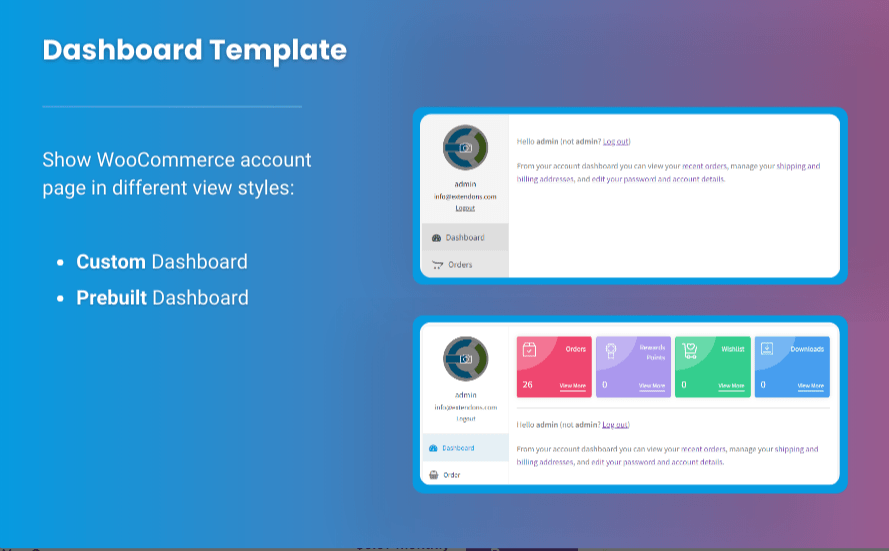
The My Account page is a central hub for customers to access order histories, manage subscriptions, and update personal information. With the right tools, you can customize My Account for WooCommerce to make it more functional and engaging.
Benefits of Customizing the My Account Page
- Enhanced User Experience: Add relevant tabs and links to improve navigation.
- Brand Consistency: Customize the design to match your store’s branding.
- Upselling Opportunities: Showcase related products or exclusive deals.
- Streamlined Communication: Include support options or live chat functionality.
How to Customize My Account for WooCommerce
While many plugins offer customization options, Extendons stands out with its intuitive tools that enable store owners to:
- Add custom tabs like FAQs, order tracking, or loyalty programs.
- Redesign the page layout for better aesthetics.
- Include personalized messages or product recommendations.
Tips to Optimize Your WooCommerce Dashboard
Here are some practical tips to maximize the efficiency of your WooCommerce dashboard plugin:
1. Focus on Key Metrics
Identify the most important metrics for your business, such as sales, revenue, or customer acquisition, and highlight them on your dashboard.
2. Automate Reports
Set up automated reports to receive updates on sales, inventory, or marketing performance directly to your email.
3. Use Visual Data
Graphs and charts make it easier to interpret data quickly, ensuring you can act on insights promptly.
4. Leverage Integrations
Connect your dashboard plugin with other tools to streamline workflows, like syncing inventory with accounting software.
5. Monitor Customer Behavior
Track customer activity to understand their preferences and improve your marketing strategies.
FAQs
1. What is a WooCommerce dashboard plugin?
A WooCommerce dashboard plugin is a tool that provides real-time insights and advanced analytics for managing your WooCommerce store more effectively.
2. How can I customize My Account for WooCommerce?
You can customize My Account for WooCommerce by using plugins that allow you to add custom tabs, redesign layouts, and include personalized messages. Extendons offers excellent solutions for this purpose.
3. Are WooCommerce dashboard plugins free?
Some plugins, like WooCommerce Admin, are free, while others offer premium features that may require a subscription or one-time payment.
4. Which is the best WooCommerce dashboard plugin?
The best plugin depends on your specific needs. Plugins like Metorik and Extendons’ solutions are popular for their advanced features and user-friendly interfaces.
5. Can I integrate WooCommerce dashboard plugins with other tools?
Yes, most dashboard plugins support integrations with CRMs, email marketing tools, and accounting software.
Conclusion
A WooCommerce dashboard plugin is a game-changer for online store management. It offers real-time insights, customizable features, and integration capabilities, helping you make data-driven decisions. Additionally, customizing My Account for WooCommerce enhances customer satisfaction and engagement, boosting your store’s overall performance.
Extendons, a leading provider of WooCommerce solutions, offers innovative tools to optimize your dashboard and My Account customization effortlessly. Leverage these plugins to elevate your store’s operations and ensure long-term success.
Get started with a WooCommerce dashboard plugin today and experience the difference it can make for your eCommerce business!