Maximizing your sales potential is crucial. One effective strategy to increase revenue is leveraging cross-sell and upsell techniques. These strategies are even more powerful when integrated into your WooCommerce minicart, a vital feature that enhances the shopping experience.
In this guide, we’ll explain how to add cross-sell and upsell options to your WooCommerce side cart or mini cart, discuss the benefits of this approach, and explore the tools available to implement it effectively.
What Is the WooCommerce Mini Cart?
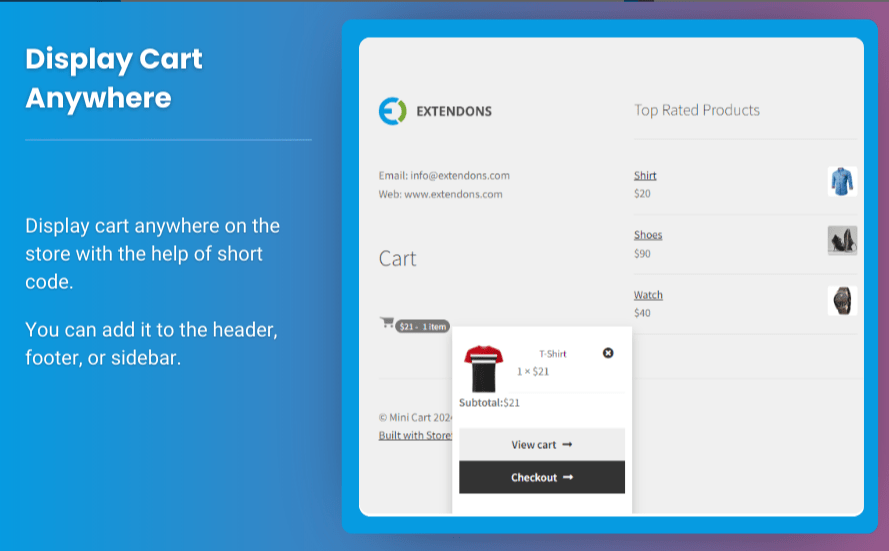
The WooCommerce mini cart is a small, dynamic cart preview that appears when a customer adds products to their cart. It allows users to view selected items without leaving the current page. This feature ensures a seamless shopping experience by providing:
- Quick Access: Customers can see their cart’s contents instantly.
- Improved Navigation: No need to navigate to the main cart page.
- Enhanced User Experience: A streamlined process encourages users to complete their purchases.
What Are Cross-Sell and Upsell Techniques?
Before diving into how to integrate these strategies into your WooCommerce side cart, let’s define cross-sell and upsell:
Cross-Sell
Encouraging customers to buy complementary products. For example, suggesting a phone case for a smartphone purchase.
Upsell
Promoting higher-end products or upgrades. For example, recommending a premium version of an item already in the cart.
Why Add Cross-Sell and Upsell Options in the Mini Cart?
Integrating these techniques into your WooCommerce mini cart can significantly impact your business. Here’s why:
1. Increase Average Order Value (AOV)
By suggesting additional or higher-value products, customers are likely to spend more.
2. Improve Customer Experience
Smart recommendations show customers you understand their needs.
3. Encourage Impulse Purchases
A well-placed cross-sell or upsell in the WooCommerce side cart can tempt customers to add more to their cart.
4. Seamless Integration
The mini cart’s visibility ensures customers see your suggestions without interrupting their shopping journey.
Steps to Add Cross-Sell and Upsell Options in WooCommerce Mini Cart
Step 1: Choose the Right Plugin
Adding cross-sell and upsell features to your WooCommerce mini cart requires the right tool. Several plugins are available, including:
- Extendons WooCommerce Plugins: Known for offering robust solutions to customize the WooCommerce side cart and integrate upsell features seamlessly.
- WooCommerce Boost Sales: Provides cross-sell and upsell functionality directly in the mini cart.
- CartFlows: A comprehensive plugin for creating sales funnels, including upsells and cross-sells.
Step 2: Install and Activate the Plugin
- Go to your WordPress dashboard.
- Navigate to Plugins > Add New.
- Search for your chosen plugin (e.g., Extendons WooCommerce Mini Cart Plugin).
- Install and activate it.
Step 3: Configure Cross-Sell and Upsell Settings
Once the plugin is active, follow these steps:
- Access the plugin settings via the WooCommerce menu.
- Select the Mini Cart/Side Cart customization options.
- Add cross-sell and upsell products:
- For cross-sells, choose complementary products.
- For upsells, select premium or upgraded versions of products.
- Customize the display:
- Add product images, pricing, or call-to-action buttons.
- Optimize the layout for mobile and desktop views.
Step 4: Test the Functionality
- Add products to your cart.
- Open the WooCommerce side cart or mini cart.
- Verify that cross-sell and upsell suggestions appear as intended.
Tips for Effective Cross-Sell and Upsell Strategies
1. Keep Recommendations Relevant
Show products that genuinely complement or upgrade the customer’s selections.
2. Use Eye-Catching Call-to-Actions
Phrases like “Customers Also Bought” or “Upgrade to Premium” can grab attention.
3. Offer Discounts on Bundles
Encourage customers to buy complementary items by offering bundle discounts.
4. Limit the Number of Suggestions
Avoid overwhelming customers by limiting suggestions to 2-3 items.
5. Track Performance
Use analytics tools to monitor how well your cross-sell and upsell strategies perform and adjust as needed.
Best Plugins for WooCommerce Mini Cart Cross-Sells and Upsells
1. Extendons WooCommerce Mini Cart Plugin
Extendons provides an excellent plugin for customizing your WooCommerce mini cart. It enables you to add cross-sell and upsell options, ensuring a smooth customer experience and increased sales.
2. WooCommerce Boost Sales
This plugin focuses on providing cross-sell and upsell features, making it easy to add these options directly in the mini cart.
3. CartUps
CartUps specializes in enhancing cart functionality, including targeted recommendations for cross-sells and upsells.
4. YITH WooCommerce Added to Cart Popup
This plugin allows you to add upsell suggestions in a popup that appears after adding a product to the cart, complementing the WooCommerce side cart.
Check out the useful insight about the WooCommerce dashboard plugin to enhance your store’s shopping experience!
FAQs
1. What is the WooCommerce mini cart?
The WooCommerce mini cart is a compact cart preview that displays the items a customer has added to their cart without leaving the current page.
2. How can I add cross-sell and upsell options in WooCommerce?
You can add cross-sell and upsell options using plugins like Extendons’ WooCommerce Mini Cart Plugin or WooCommerce Boost Sales.
3. Why should I use cross-sell and upsell techniques?
Cross-sell and upsell strategies help increase average order value, improve customer experience, and encourage additional purchases.
4. Are WooCommerce side cart plugins free?
Some plugins offer free versions, but advanced features like cross-sell and upsell integration may require a premium subscription.
5. Which is the best plugin for customizing WooCommerce side carts?
Extendons’ WooCommerce Mini Cart Plugin is highly recommended for its user-friendly interface and robust customization features.
Conclusion
Adding cross-sell and upsell options to your WooCommerce mini cart is a proven way to boost revenue and enhance the shopping experience. With the help of tools like Extendons’ plugins, you can effortlessly integrate these features into your store’s WooCommerce side cart.
By leveraging these strategies, you can increase your average order value, encourage impulse purchases, and ensure a seamless shopping journey for your customers. Start implementing these techniques today to maximize your store’s sales potential!