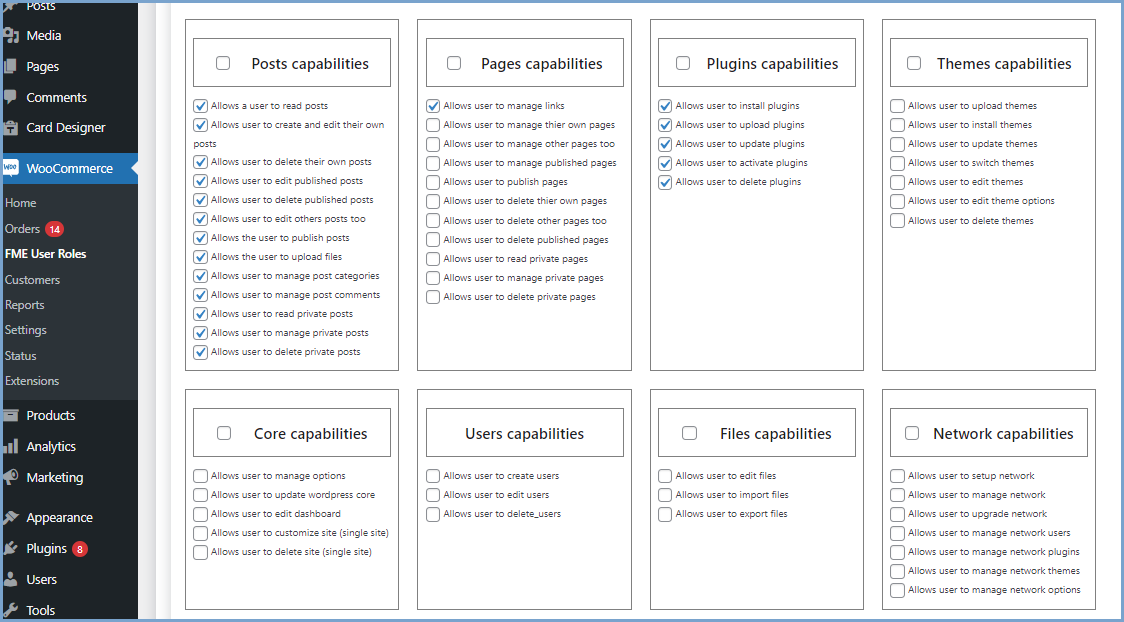
Managing user roles efficiently is crucial for maintaining an organized and well-functioning online store. The WooCommerce User Roles Plugin is designed to simplify this process, allowing store owners to automate role assignments, manage user roles with precision, and create custom rules for switching roles based on specific conditions. This powerful tool offers a range of features that enhance user management, ensuring that customers and store admins experience a seamless and personalized journey.
Key Features of WooCommerce User Roles Plugin
1. Assign Roles to New Users
Automatically assign roles to new users based on predefined criteria. Instead of manually assigning roles to each customer or admin, you can set rules that determine the appropriate role for new users. This feature is particularly useful for assigning roles such as “Wholesale Buyer” or “VIP Customer” upon registration, streamlining the onboarding process.
2. Automate User-Role Switching
The plugin allows for the automatic switching of user roles based on specific conditions. For example, a customer who reaches a certain purchase threshold can be automatically upgraded to a premium role, gaining access to exclusive offers or discounts. This automation reduces the administrative burden and ensures that customers are rewarded for their loyalty without delay.
3. Manage User Roles with Multiple Rules
Managing user roles becomes more flexible with the ability to create and apply multiple rules. You can set up various criteria that determine when and how a user’s role should change. This feature is ideal for stores with complex user management needs, such as those offering different pricing tiers, loyalty programs, or restricted content based on user roles.
4. Set Criteria for User Role-Switching and Gaining
Define specific criteria for when a user’s role should change or when they should gain a new role. Criteria can include:
- Specific Product Purchases: Change a user’s role when they purchase a particular product.
- Purchasing from a Specific Category: Assign or change roles based on purchases within certain product categories.
- Placing Orders of a Higher Price Range: Upgrade a user’s role if they place an order above a certain value.
- Exceeding Total Purchase in a Range: Reward loyal customers by changing their role after they exceed a specific total purchase amount.
5. Schedule User Role Changes
Plan ahead by scheduling role changes for specific dates or events. This feature allows you to align role changes with marketing campaigns, product launches, or seasonal promotions, ensuring that your user management strategy supports your business goals.
6. Revoke Assigned Roles with Custom Reasons
Sometimes, roles need to be revoked. The plugin enables you to remove a user’s role and provide a custom reason for the change. This transparency helps maintain trust with your customers and ensures they understand why their role has been altered.
7. Email Notifications When Roles Shift
Keep users informed by sending automated email notifications whenever their role changes. This feature enhances communication and ensures that users are aware of their new status, along with any associated benefits or restrictions.
8. Exclude Specific User Roles from the Rule
If certain roles should remain unaffected by the role-switching rules, you can easily exclude them. This flexibility allows you to protect specific user groups from automated changes, maintaining stability where needed.
9. Access Role-Change History
Both users and admins can view the history of role changes. This feature provides transparency and helps track the evolution of user roles over time, making it easier to understand the impact of your user management strategies.
10. Compatible with Shop as a Customer for WooCommerce
The plugin is fully compatible with the “Shop as a Customer” feature in WooCommerce, allowing admins to experience the store as a customer with the appropriate role. This compatibility ensures that you can test and verify role-based experiences, providing insights into how your role management strategies are working in practice.
Conclusion
The WooCommerce User Roles Plugin is an essential tool for any online store that wants to manage user roles with precision and flexibility. Whether you’re looking to reward loyal customers, streamline user management, or automate role assignments, this plugin offers the features you need to optimize your store’s operations. By leveraging its powerful rule-based system, you can ensure that your user management aligns with your business goals, enhancing both customer experience and operational efficiency.